How do I create a Padelio crew?
Last updated 2026-05-10
Padelio crew ownership is a paid feature — it requires the Crew or Crew
Pro subscription. From the Crews tab (mobile) or app.padelio.org/crews
(web), tap New crew, give it a name, and customize the branding (name,
brand colour, accent colour, logo). Your members join for free.
What a crew is for
A crew is the padel equivalent of a band, a club, or a regular hit group. Each crew has:
- A name, description, logo, brand colour, and accent colour — used on the crew page, event share images, and crew-linked events.
- A member list with roles (Owner, Admin, Manager, Staff). See crews/roles-and-permissions.
- A feed of events, tournaments, and leagues hosted by the crew.
- A subscription tier (Crew or Crew Pro) that controls how many members the crew can have and how many crews the Owner can run.
If two or more friends regularly organise padel together and want a shared identity, a crew is the right shape — provided one of you takes on the Owner role and the subscription.
Step by step
Step 1 — Open the Crews tab → New crew
From the bottom navigation, tap the Crews tab. If you don't own a crew yet, tap New crew in the empty-state. Otherwise tap the + button at the top of the Crews list. The flow takes you to /crews/new.
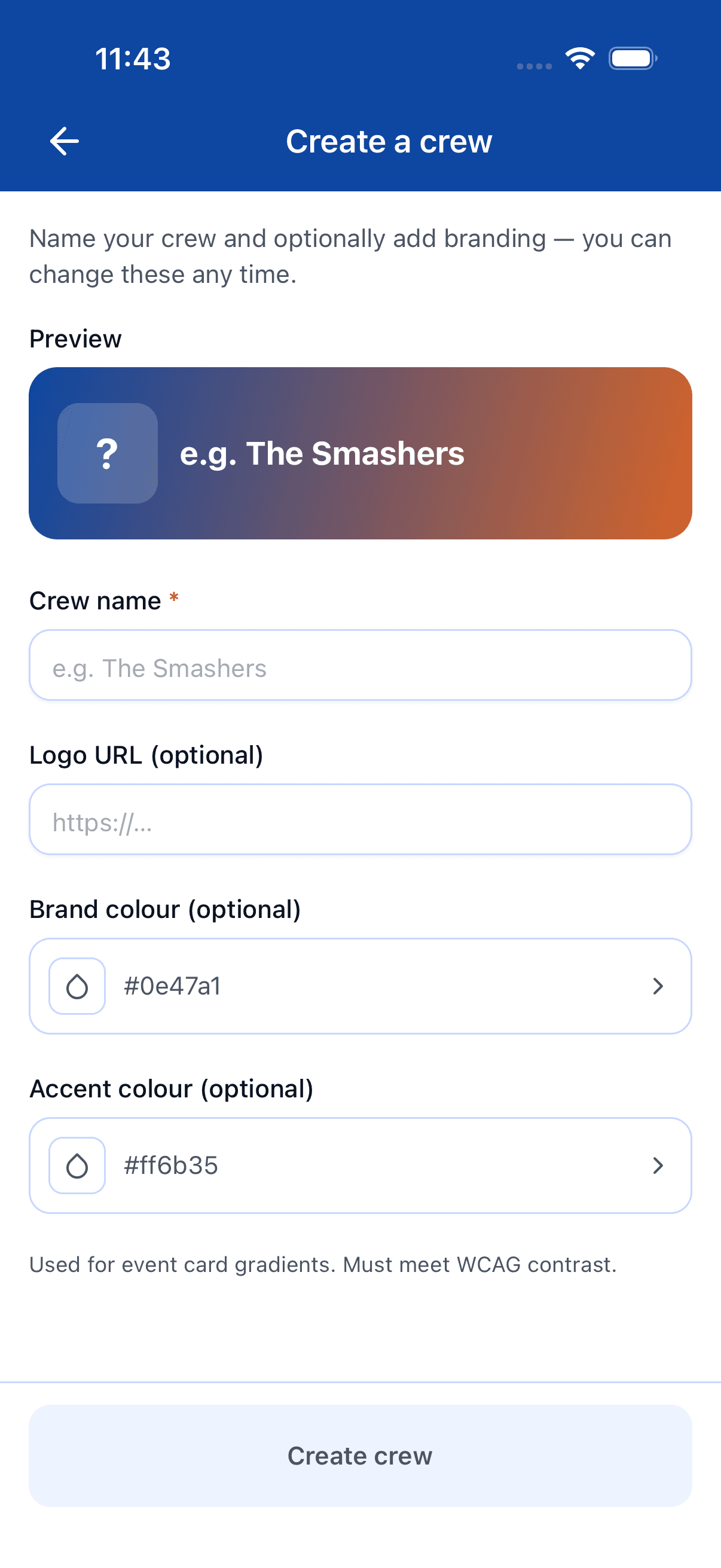
Step 2 — Name your crew
Pick a name your friends will recognise. You can change it later. The crew gets an auto-generated id (visible in URLs); the name is the human-readable display.
Step 3 — Pick branding
Set the brand colour (used on event cards and the share image), the accent colour, and an optional logo. All three are available regardless of subscription tier — there's no per-field paid gate. The colour is typed as a hex code (e.g. #0e47a1) and the logo is an uploaded image.
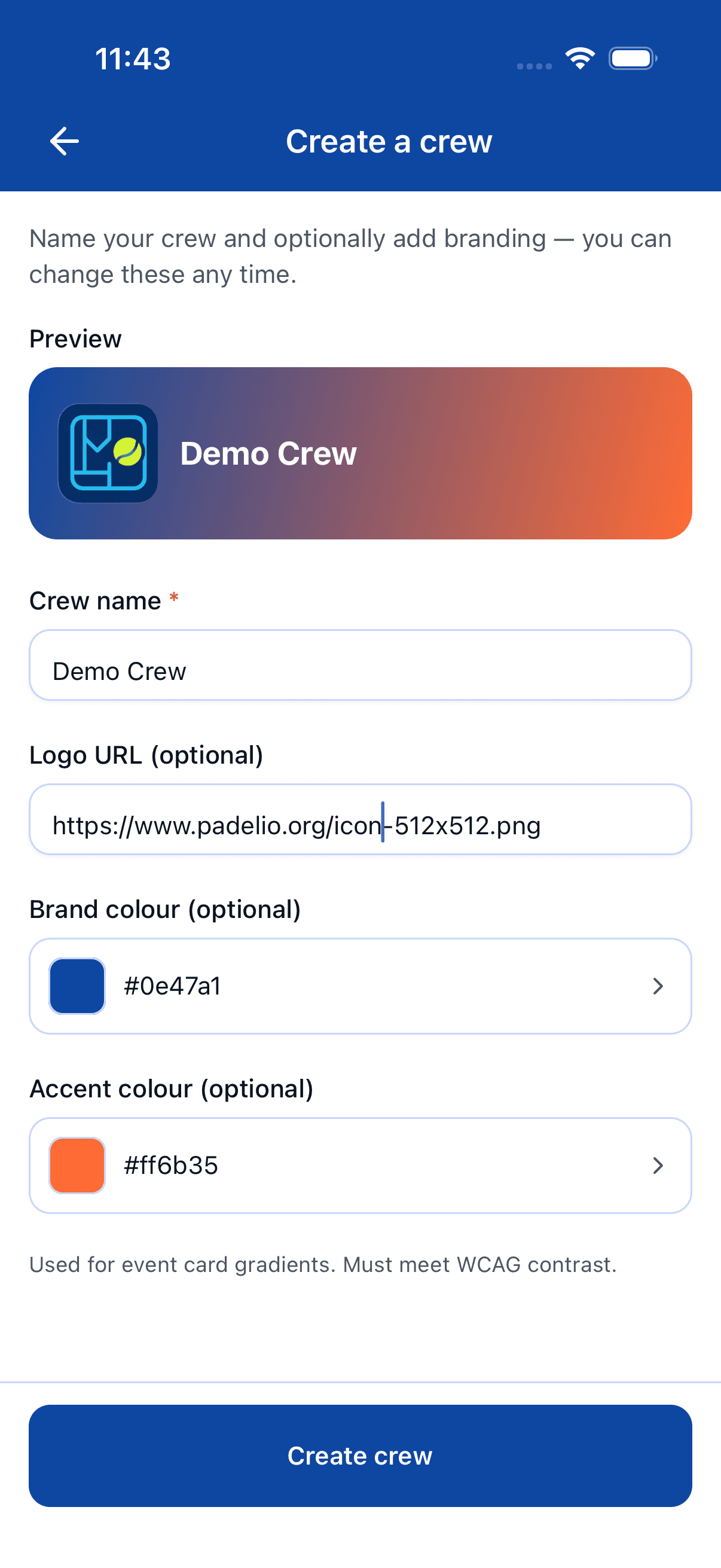
Step 4 — Subscription check
Before saving, Padelio confirms you have the Crew or Crew Pro subscription. If you don't, you'll be sent to the upgrade flow first — see crews/subscription-upgrade. With Crew Pro you can own up to 3 crews; with Crew you can own 1.
Step 5 — Create
Tap Create. The crew page opens and you're set as the Owner. Next: invite members (see crews/invite-members).
After creation
You're the Owner. From the crew page you can:
- Invite members (Padelio users by name search, or by email).
- Promote members to Manager or Admin (Manager+ can create tournaments / leagues / communities under the crew).
- Link tournaments and leagues to the crew (your members get the crew's Pro features when they create events under the crew).
- Adjust branding and visibility.
Member caps depend on your tier — Crew allows 3 members per crew, Crew Pro allows 10. See crews/subscription-upgrade for the full picture.
Where to go next
- Invite people: crews/invite-members.
- Set up admins / managers: crews/roles-and-permissions.
- Decide on a plan: crews/subscription-upgrade.
FAQ
- What's the difference between a crew and a community?
- A crew is a small, branded group of friends or a club section who play together — usually 3–10 people, with shared branding and a paid plan. A community is a broader free network — clubs, regions, friend-of-a-friend groups — that can be much larger.
- Do I need a paid plan to create a crew?
- Yes. Crew creation is gated to the **Crew** and **Crew Pro** subscriptions; the free tier can't own a crew. Once you're on Crew or Crew Pro, the crew you create is fully yours and your members use it for free — only the Owner pays. See [crews/subscription-upgrade](/docs/crews/subscription-upgrade).
- Can a crew have multiple owners?
- There's exactly one Owner, plus any number of Admins, Managers, and Staff with delegated permissions. Ownership transfers via Crew settings — see [crews/roles-and-permissions](/docs/crews/roles-and-permissions) for the full capability matrix.
- Can I set a logo or brand colour on the free tier?
- There's no free crew tier in the first place — you need Crew or Crew Pro to own a crew. Once you do, brand colour, accent colour, and logo are all available; the schema doesn't enforce any per-field paid gate. Pick whatever look you want.
See something off? Suggest a fix — emails support@padelio.org with the article and a prefilled subject.