How do I change my Padelio account settings?
Last updated 2026-05-10
On mobile, open the Profile tab → settings (gear) icon. The settings
sheet has sub-views for Profile, Notifications, Privacy, Data privacy,
Language, Watch (iOS only), Blocked users, Subscription, and Account.
On the web, the avatar dropdown only has Profile and Sign out —
individual settings live at /settings/<sub-view> (e.g.
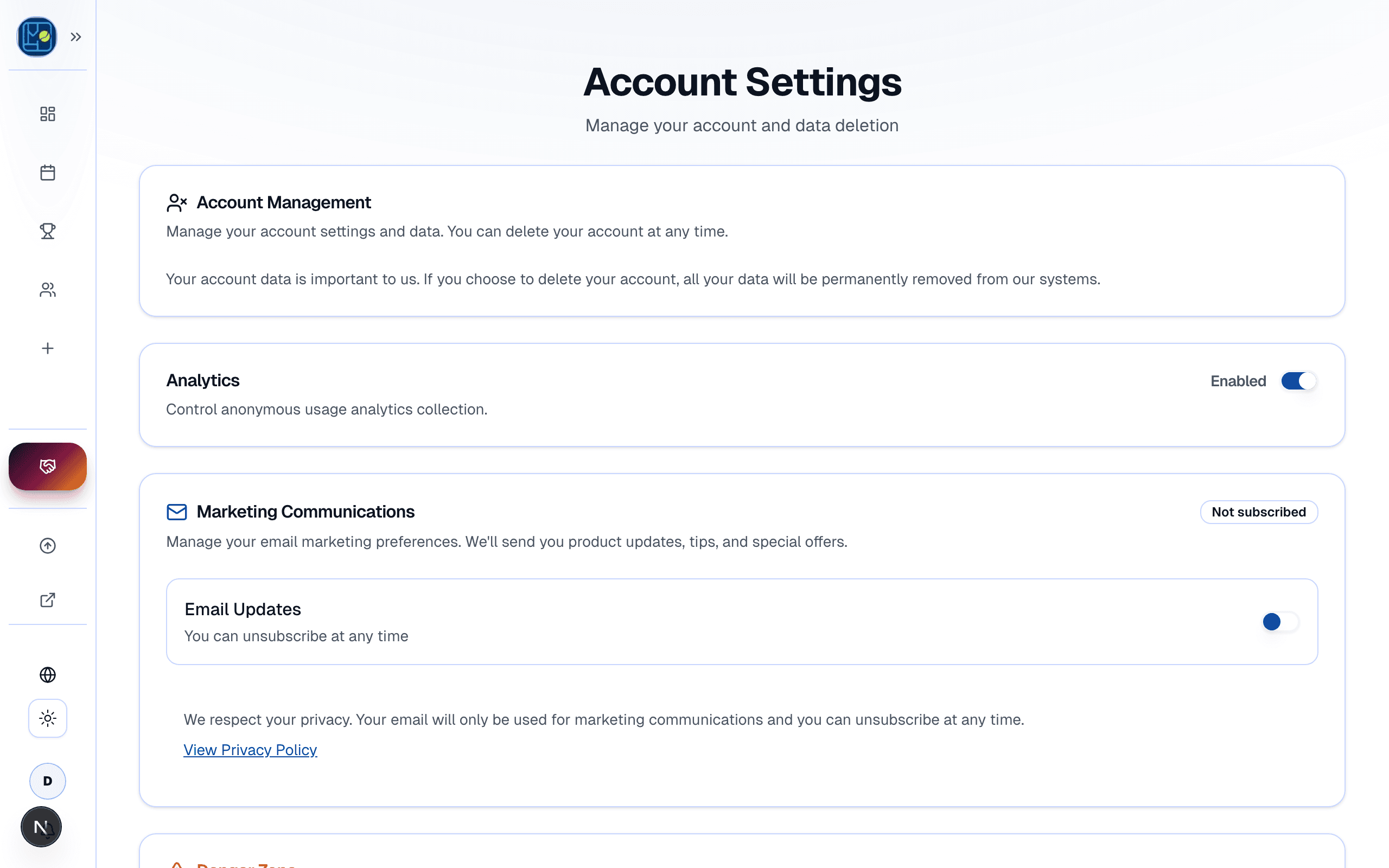
/settings/account, /settings/billing, /settings/marketing).
How to open settings
Step 1 — Open your profile
Tap the Profile tab in the bottom navigation.
Step 2 — Tap the settings icon
The gear icon in the top-right of the profile screen opens the settings sheet.
Step 3 — Pick a sub-view
The sheet starts on the main view (your name, level, and a quick avatar editor) and lets you drill into Notifications, Privacy, Data privacy, Language, Watch, Blocked users, Subscription, or Account from there.
What's inside
Profile (the main view)
Your name, avatar, and self-declared level. Padelio's User schema doesn't currently store a bio field, so there's no biography input to edit. Level is a number from 1.0 to 10.0; you set it manually and it stays editable — there's no automatic lock once matches accumulate.
Notifications
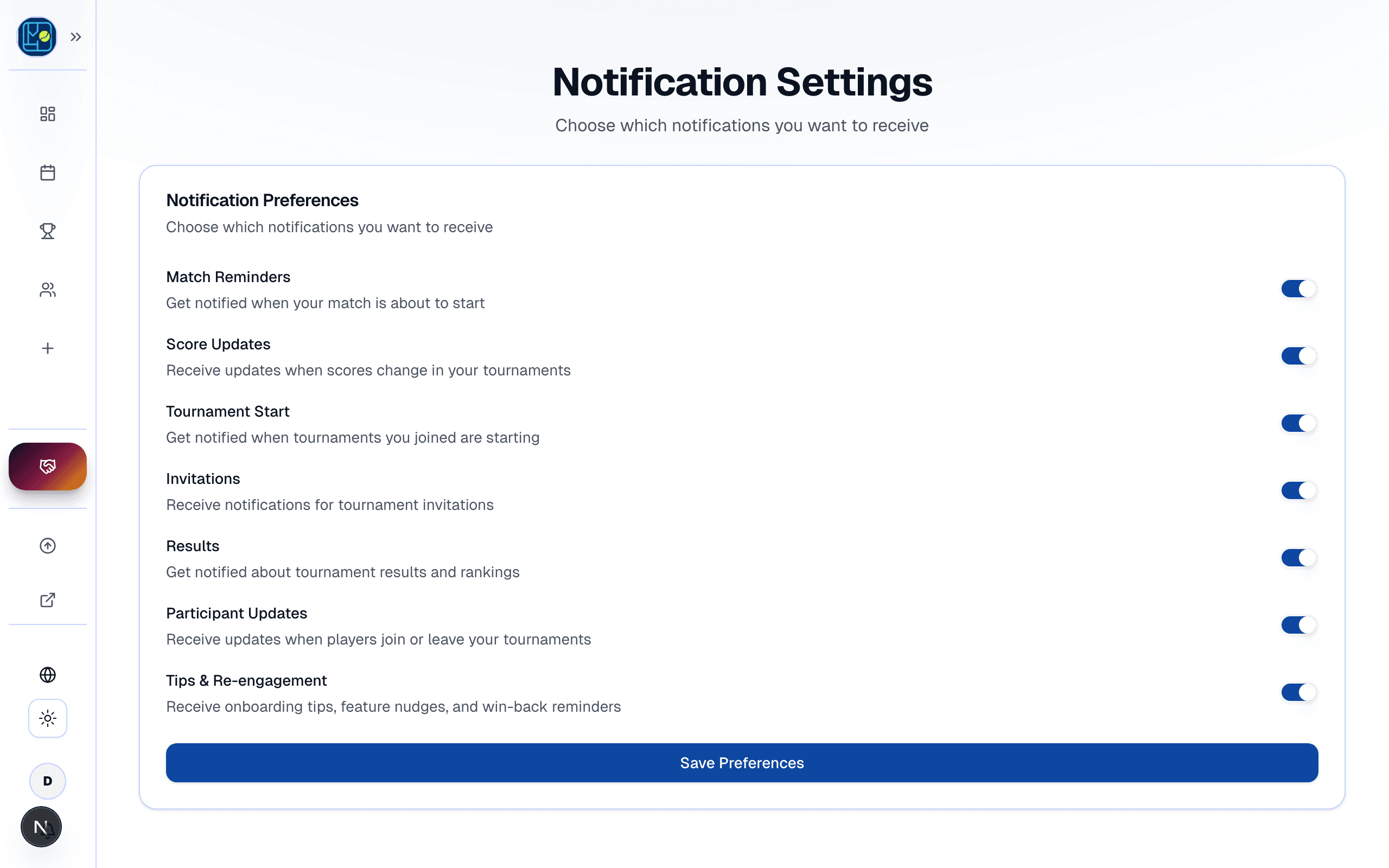
Eight per-category toggles (one toggle each, not a channel-by-category grid):
- Match reminders
- Score updates
- Tournament start
- Invitations
- Results
- Participant updates
- Chat messages
- Marketing and tips (separate from the GDPR marketing-consent flow described in account/marketing-consent)
Each toggle controls whether you receive notifications for that category — Padelio chooses the channel (push / email) per notification type rather than exposing a per-channel grid.
Privacy (followers + visibility)
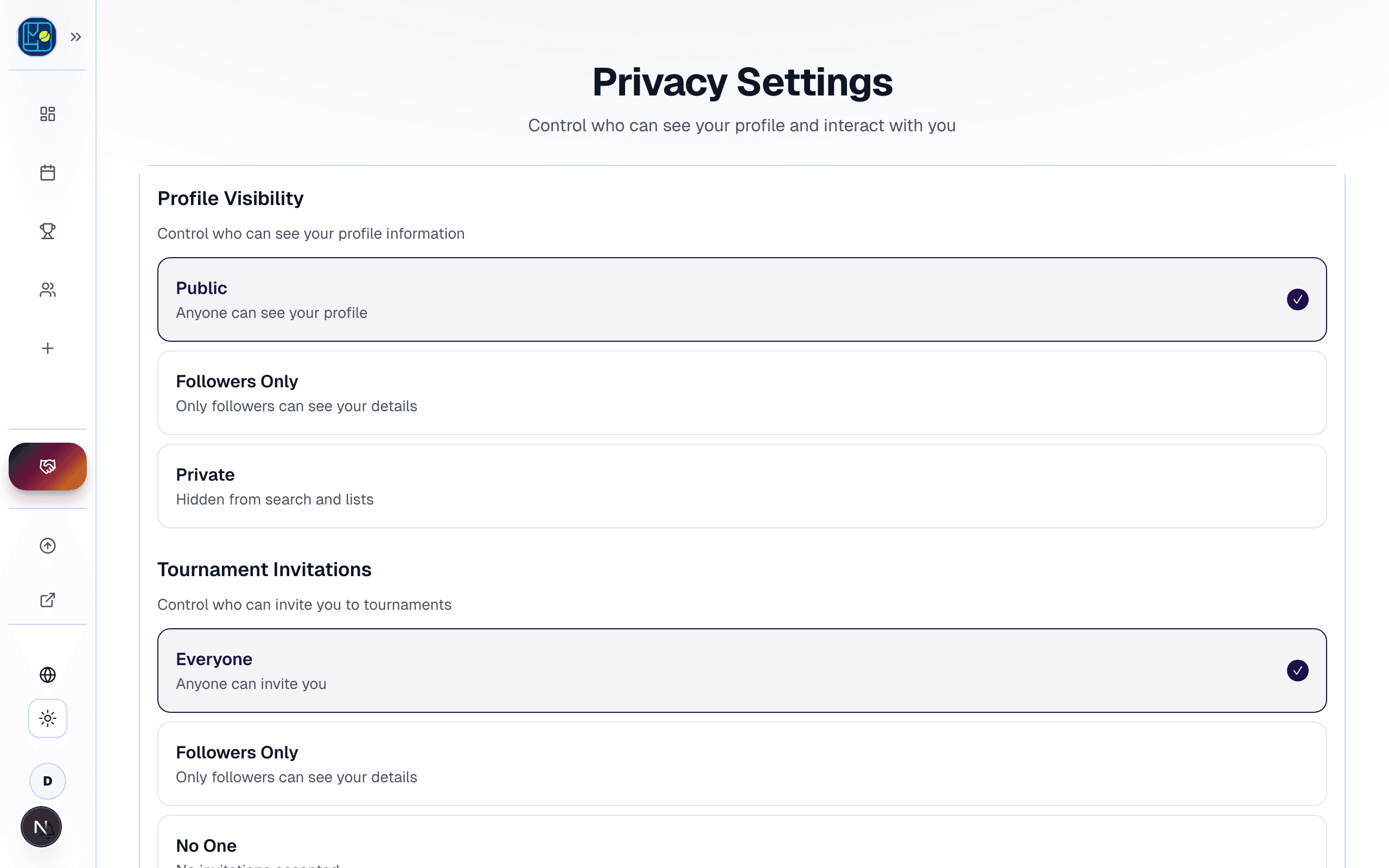
Five settings on the Privacy panel:
- Profile visibility — three states: Public, Followers only, Private.
- Who can invite you — three states: Everyone, Followers, No one.
- Require follow approval — yes / no.
- Show stats — yes / no. Hides match stats from your public profile when off.
- Analytics opt-out — yes / no. Stops Padelio's product-analytics events.
(Older help content described "Public / Private" only — the real schema has the three-state visibility plus the four other toggles above.)
Data privacy
A separate sub-view from Privacy. Currently exposes a chat-only data export (chat.exportMyData — your chat messages JSON, sent to your email). The full account-export endpoint (account.exportData) exists in the API but isn't wired into a UI button today; for a complete export, contact support.
Language
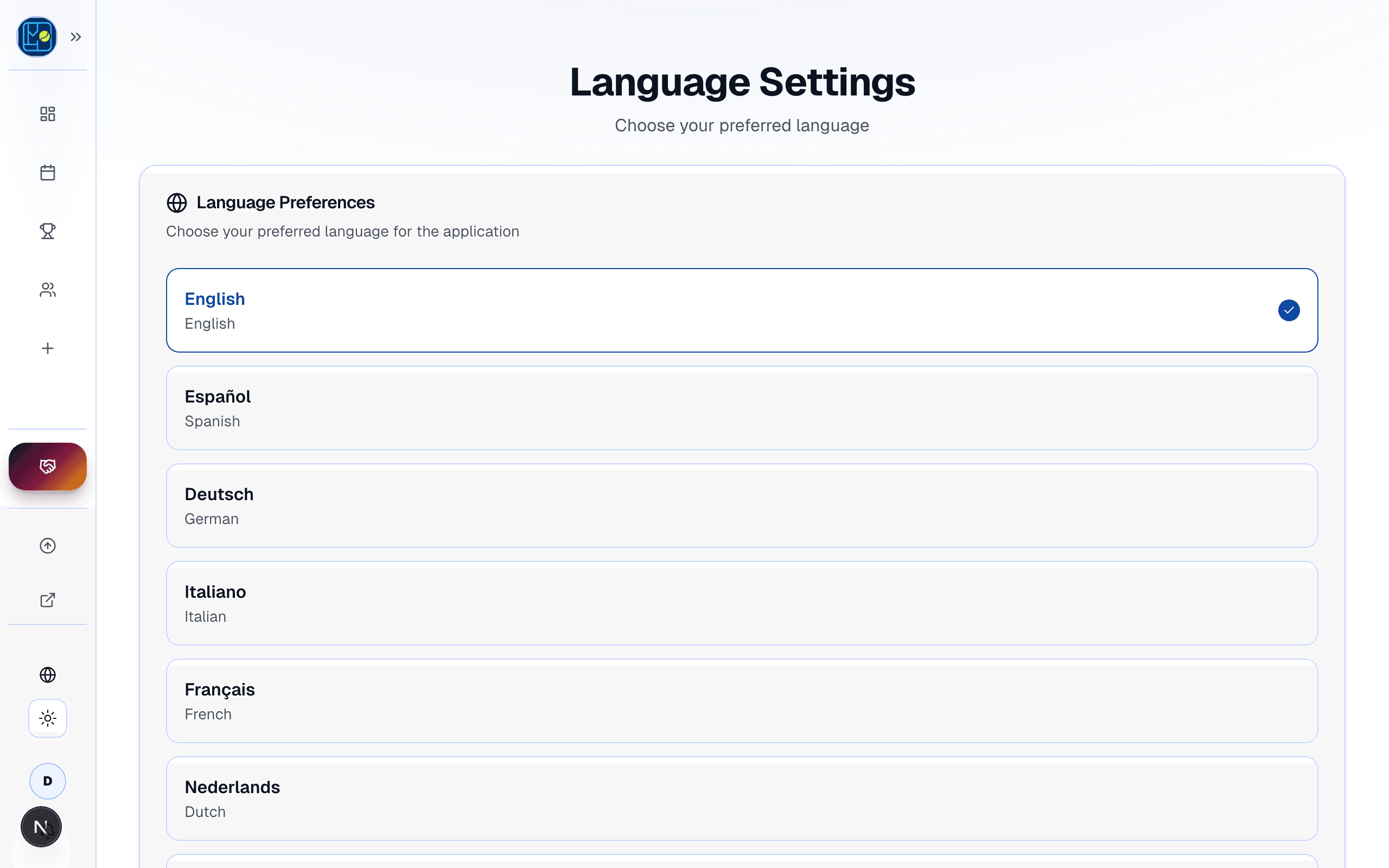
Pick from English, German, Spanish, French, Italian, Dutch, Portuguese, or Russian on mobile. The web app currently runs in English and Russian only — language selection is via cookie, not the device language. Changing the language overrides your device's auto-detected language on mobile.
Watch (iOS only)
Pair Padelio with your Apple Watch for on-court timer and quick score entry. The sub-view is hidden when Platform.OS !== "ios", so Android users won't see it.
Blocked users
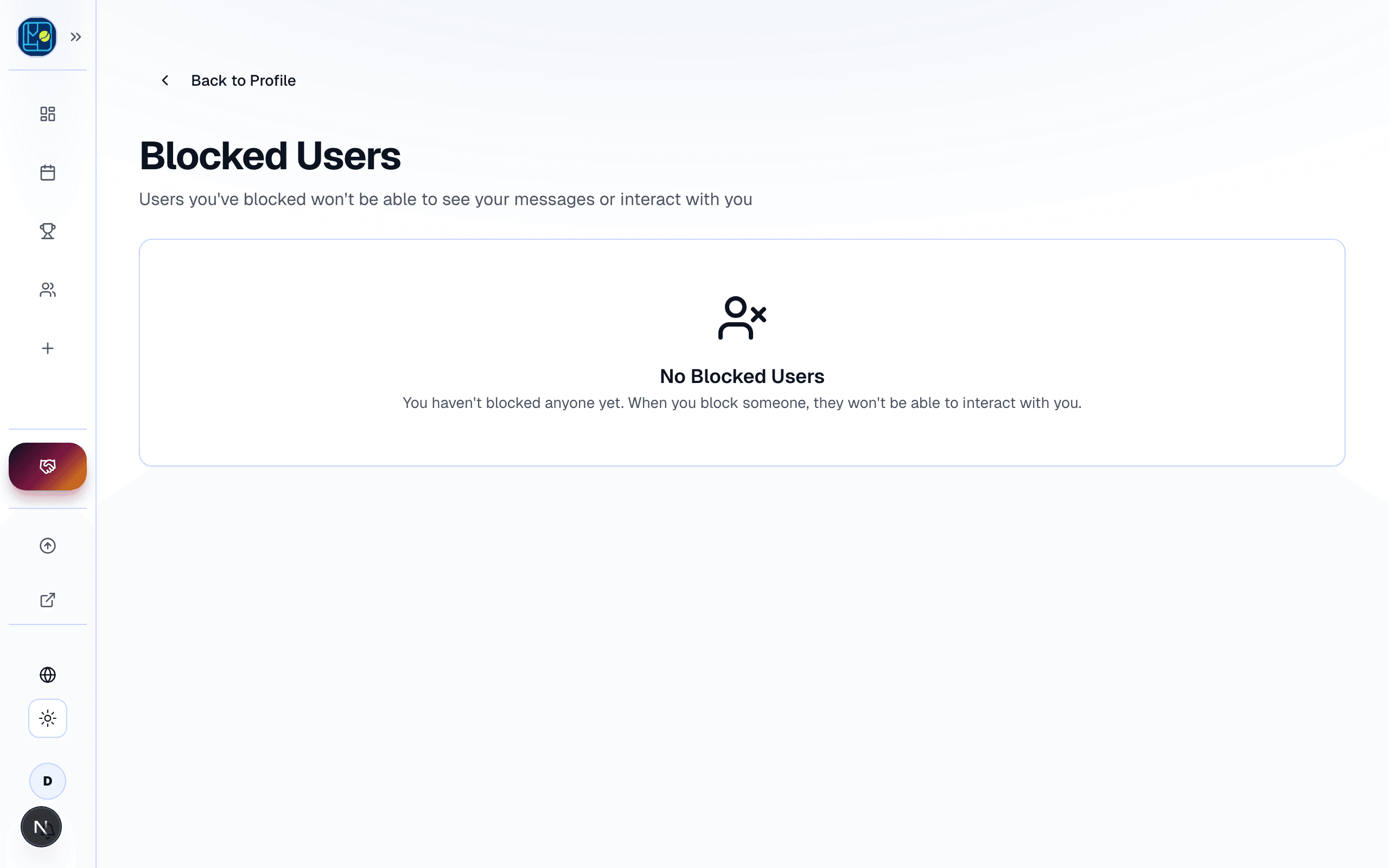
The list of users you've blocked. From any profile, tap Block to add them. From this screen, tap Unblock to reverse.
Subscription
Your active personal plan, renewal date, and a link to billing. Mobile uses RevenueCat (which deep-links to your App Store / Google Play subscription manager); web uses Stripe at /settings/billing. Crew subscriptions are part of the same personal subscription — see crews/subscription-upgrade.
Account
Login methods (Google, Apple, Telegram, email magic link), email confirmation, and the Delete account action. See account/delete-account for the deletion flow and what's blocked when you own a sole-owner crew.
Marketing preferences
Marketing-email opt-in is part of the Account sub-view on mobile (not a separate top-level entry, despite some older help content suggesting otherwise) and lives at app.padelio.org/settings/marketing on the web. Has its own GDPR-compliant double-opt-in flow — see account/marketing-consent.
Where to go next
- Marketing-email preferences: account/marketing-consent.
- Delete your account: account/delete-account.
- Upgrade your subscription: getting-started/upgrading-to-paid.
FAQ
- How do I change the language?
- On mobile, Profile tab → settings icon → Language. Pick from English, German, Spanish, French, Italian, Dutch, Portuguese, or Russian. The change applies immediately and overrides your device's auto-detected language. The web app currently runs in English and Russian only.
- Where do I edit my level?
- On mobile, the Profile sub-view (the "main" view inside the settings sheet) lets you set a self-declared level (1.0–10.0). There's no automatic lock — you can change it any time even after match results come in. Padelio uses the value as a starting point for matchmaking suggestions; tournament results update your stats but don't currently overwrite the field.
- How do I block someone?
- Open their profile, tap the menu, choose Block. Or manage the full block list under settings → Blocked users. Blocked users can't see your profile, invite you, or appear in your search results.
See something off? Suggest a fix — emails support@padelio.org with the article and a prefilled subject.