How do I upgrade my Padelio subscription?
Last updated 2026-07-15
Open Settings → Subscription, choose a plan, and complete the purchase. Mobile uses your App Store / Google Play account; the web uses Stripe. The plan unlocks instantly across all your devices.
Which plan do I need?
Most casual players never need to upgrade — the free tier covers running personal tournaments, joining communities, and tracking your matches.
You'll want a paid plan if you:
- Run a regular crew or club with custom branding (logo, colours, shared events).
- Manage larger leagues or tournaments than your current plan's participant cap allows.
- Want to link tournaments and events to a crew so members see them automatically.
- Run a club with multiple courts, organisers, and recurring schedules.
The exact features and prices are listed in Settings → Subscription with the latest amounts in your local currency.
How many players can my events have?
Each plan sets a ceiling on how big a single event can be. Tournaments are capped by the capacity you set in the create wizard; league seasons are capped by the number of participants you add to a season.
| Plan | Players per tournament | Participants per league season |
|---|---|---|
| Free | 24 | 8 |
| Padelio Pro | 32 | 32 |
| Crew | 64 | 64 |
| Crew Pro | 264 | 264 |
Most events never come close to these numbers — a typical Padelio tournament runs around 12 players, and the large majority finish under the free cap of 24. If you're organising a regular social or a club night, Free is likely all you need.
A few details worth knowing:
- These caps apply to every format. Americano, Mexicano, King of the Court, and the Pro formats are all bound by the same per-plan ceiling.
- Crew-hosted events use the crew owner's plan. If you create a tournament or league on behalf of a Crew Pro crew, you get the crew's cap even if your own account is Free.
- Nothing breaks if you're already over. An event that exceeds your current cap — because you downgraded, or a subscription lapsed — keeps running exactly as it is. Nobody is removed and you can still edit it. You'll only meet the limit when you try to grow the event: raising a tournament's capacity, or adding another participant to a season.
- Upgrading applies immediately. The new ceiling takes effect as soon as the purchase confirms, on the event you were already editing.
Need something larger than 264 players? Get in touch and we'll help you set it up.
How to upgrade
Step 1 — Open Settings → Subscription
Tap your profile in the top-right of the app, then Settings, then Subscription.
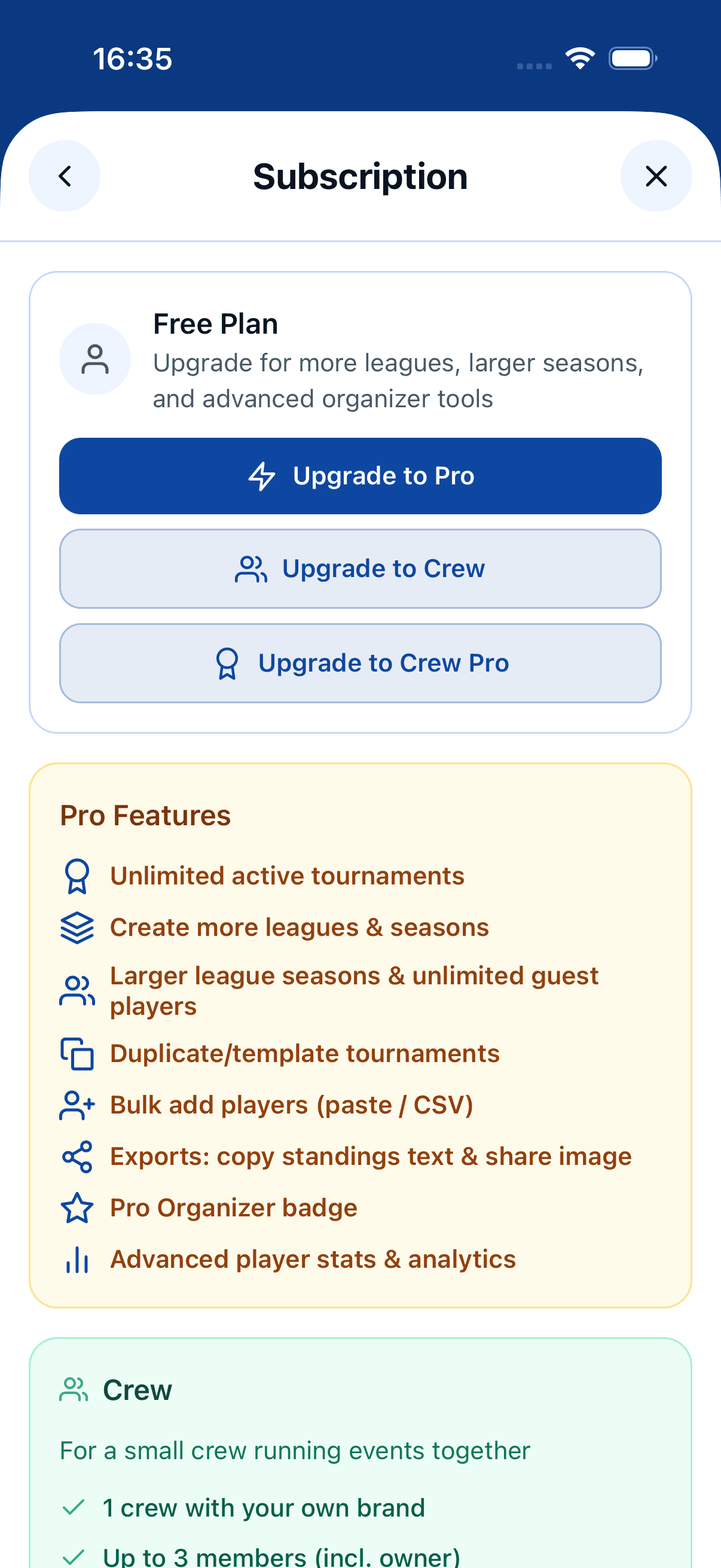
Step 2 — Choose a plan
Compare the tiers side-by-side. Tap the plan you want and pick Monthly or Annual (annual is roughly two months free).
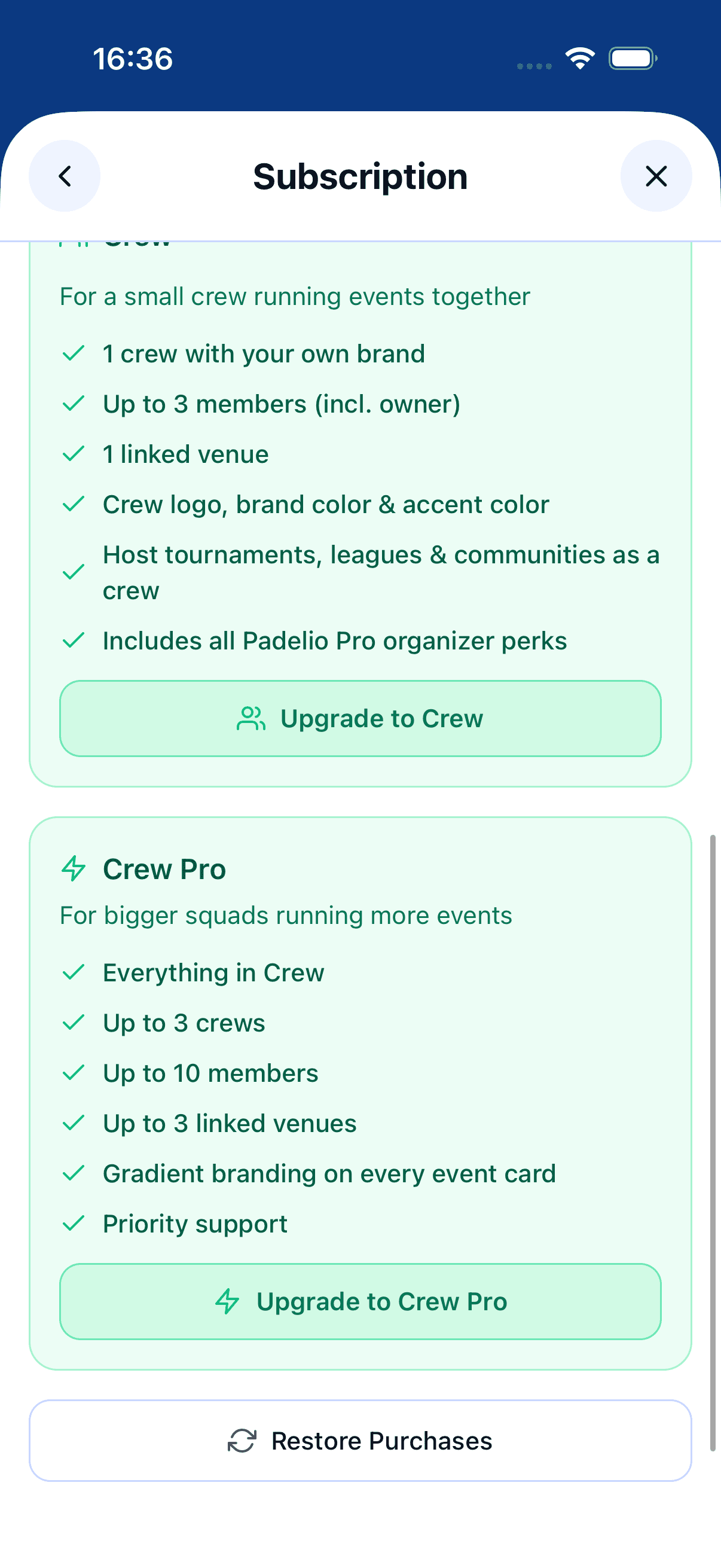
Step 3 — Complete the purchase
You'll go through your platform's normal payment flow — Face ID or Touch ID on iOS, your Google account on Android. Padelio uses RevenueCat to handle the receipt and unlocks features as soon as the purchase confirms.
Managing your subscription
You can change plans, switch billing period, or cancel any time from Settings → Subscription. On mobile, deeper management (refunds, family sharing) goes through your App Store or Play Store account.
Where to go next
If you're upgrading specifically to brand a crew, see the crews onboarding flow once you've completed the purchase.
FAQ
- Do I need a paid plan to use Padelio?
- No. The free tier covers personal tournaments, joining communities, and tracking your stats. Paid plans add crew branding, larger leagues, and club-level features.
- How many players can I have in one event?
- It depends on your plan — 24 players per tournament on Free, 32 on Padelio Pro, 64 on Crew, and 264 on Crew Pro. League seasons follow the same ladder except on Free, which allows 8 participants per season. See the table above for the full breakdown.
- Can I get an invoice with my company name and VAT ID?
- Yes — subscribe on the web. At checkout, tick the business option and enter your company name and VAT ID, and Stripe issues a VAT-compliant invoice. Businesses in the EU outside the Netherlands are invoiced with VAT reverse-charged; Dutch businesses are charged Dutch VAT. Purchases made in the iOS or Android app can't carry a company invoice — Apple and Google are the seller there, so the receipt comes from them. If you need a company invoice, subscribe on the web instead.
- What happens to my big events if I downgrade?
- Nothing. An event that's already over your new plan's cap keeps running untouched — no participants are removed and you can still edit it. You'll only hit the limit if you try to make it bigger.
- I hit a limit but I'm already a paying subscriber — why?
- The player caps apply to every plan, not just Free. Pro tops out at 32 players per event and Crew at 64, so an unusually large event can hit the ceiling even on a paid plan. Moving up a tier raises it; above 264, contact us.
- Can I cancel any time?
- Yes. Cancel from Settings → Subscription. You keep paid features until the end of the current billing period and your data stays intact when you drop back to the free tier.
- Why is the price different on iOS vs the web?
- Apple charges a platform fee on iOS in-app purchases, which we partially absorb but partially pass through. The web checkout is the cheapest option.
See something off? Suggest a fix — emails support@padelio.org with the article and a prefilled subject.