How do I create a tournament in Padelio?
Last updated 2026-05-10
Creating a tournament is a three-step wizard: Shape (sport, capacity, format), Details (club, date, courts, level, price), then Identity (title, description, join toggle). Format and capacity are the two choices that lock the structure of the event — everything else can be edited later. Players are added on the tournament page once it's created.
What you decide up front
Three things shape the rest of the wizard:
- Format — Americano, Mexicano, Mix In, or King of the Court. Pro plans also unlock Round Robin, Single Elimination, Double Elimination, Swiss, Group Stage Knockout, and Tiered Americano. Each has a variant picker (Classic / Competitive / Win-Lose) that opens right after you tap the format card. See tournaments/formats for a comparison.
- Fixed Pairs vs dynamic — a toggle that appears under the format on doubles formats that support it. On = the same partner every round. Off = Padelio rotates partners.
- Capacity — the total number of players. The picker offers 8 / 12 / 16 / 20 / 24 / 28 / 32, plus a numeric input starting at 4. The upper end depends on your plan (24 on Free, up to 264 on Crew Pro — see getting-started/upgrading-to-paid). Capacity drives how many courts Padelio suggests on step 2 and how many rounds the estimator predicts.
Title, description, club, date, level range, and entry fee can all be edited after creation, so don't overthink them up front.
Hosting as yourself, a crew, or an organization
Above the wizard there are two selectors: Host as Team (your crews) and Host as Org (your organizations). Leaving them on Myself creates a personal tournament. Picking a crew or organization attaches the tournament to that entity — its members see it automatically, its branding is applied, and its Pro plan (if any) unlocks Pro features for this event.
Step by step
Step 1 — Open Create → Tournament
From the bottom navigation, tap the + Create tab and choose Tournament.
Step 2 — Choose Host As (optional)
If you belong to a crew or organization and want this tournament to be hosted by them, pick it from the Host as selector at the top of the form. Otherwise leave it on Myself.
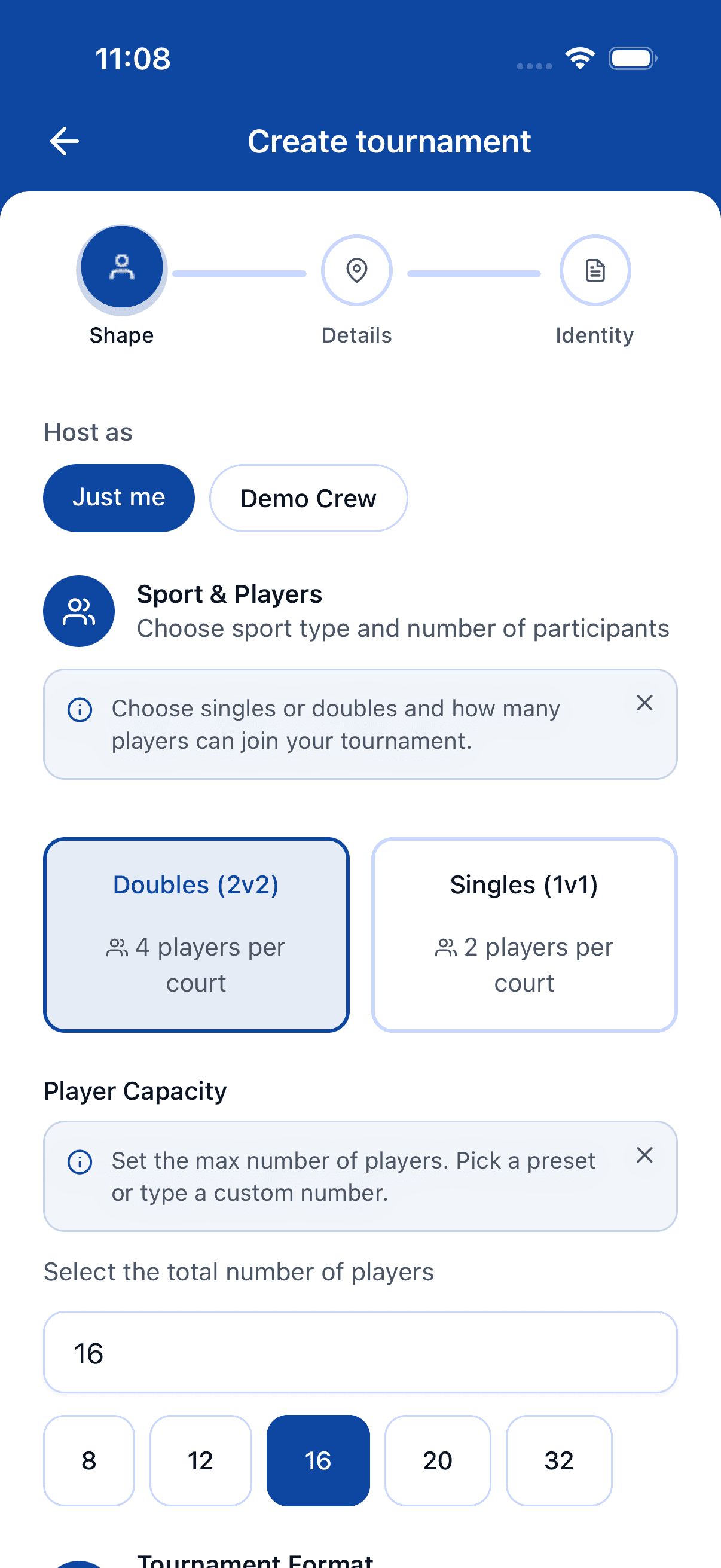
Step 3 — Sport and capacity
Pick Singles or Doubles, then set the player capacity using the quick-pick buttons (8 / 12 / 16 / 20 / 24 / 28 / 32) or the numeric field (from 4 up to your plan's cap). The round count estimator at the bottom of the section previews how many rounds you'll get for that capacity.
Step 4 — Choosing a format
Tap one of the base format cards — Americano, Mexicano, Mix In, or King of the Court. A variant chooser appears (Classic / Competitive / Win-Lose) — pick one to confirm. If the format supports it, a Fixed Pairs toggle appears below; leave it off for rotating partners.
Below the base cards, the PRO formats card opens a modal with the Pro-only formats: Round Robin, Single Elimination, Double Elimination, Swiss, Group Stage Knockout, and Tiered Americano. They unlock with a Pro subscription or when you host as a crew that has Pro. Tap Continue.
Step 5 — Venue, courts, and pricing
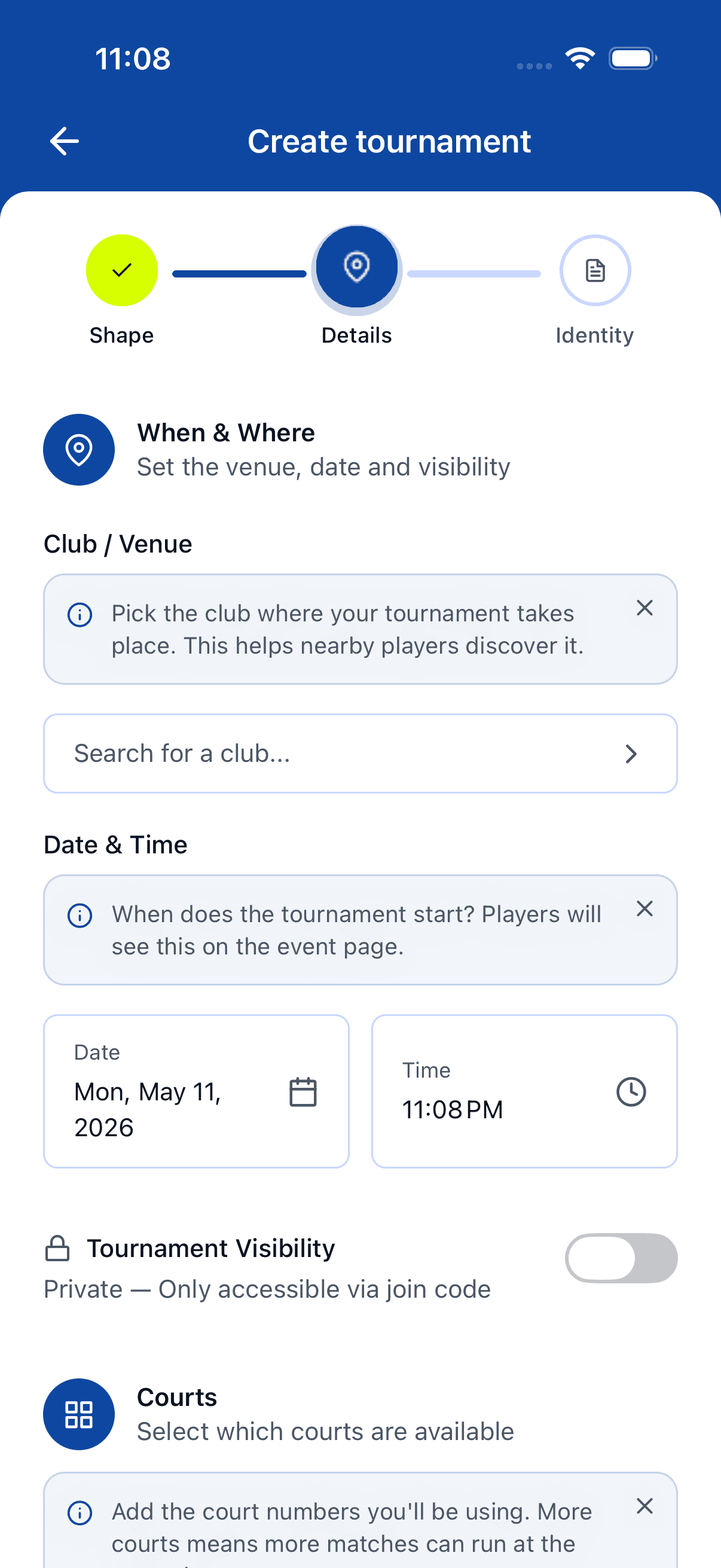
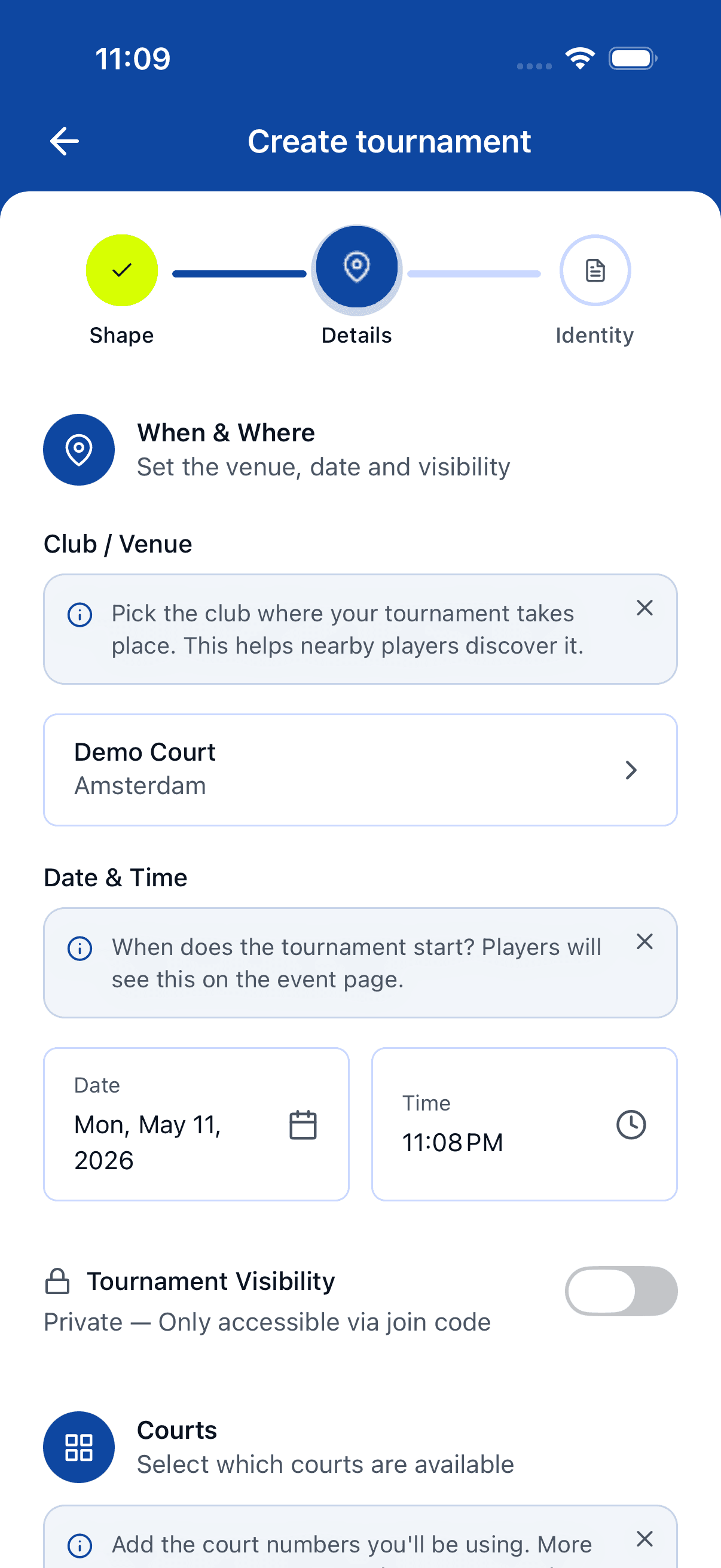
In When & Where, tap the club selector to search existing clubs or add a custom one (name + city), pick a date and time, and toggle Tournament Visibility (Public = discoverable, Private = join-code only). In Skill & Pricing, set minimum and maximum level (1.0–10.0), pick a currency, and enter an entry fee (0 for free). The Courts list auto-suggests one court per four players (or per two for singles); add or remove courts to match your venue. Tap Continue.
Step 6 — Name and description
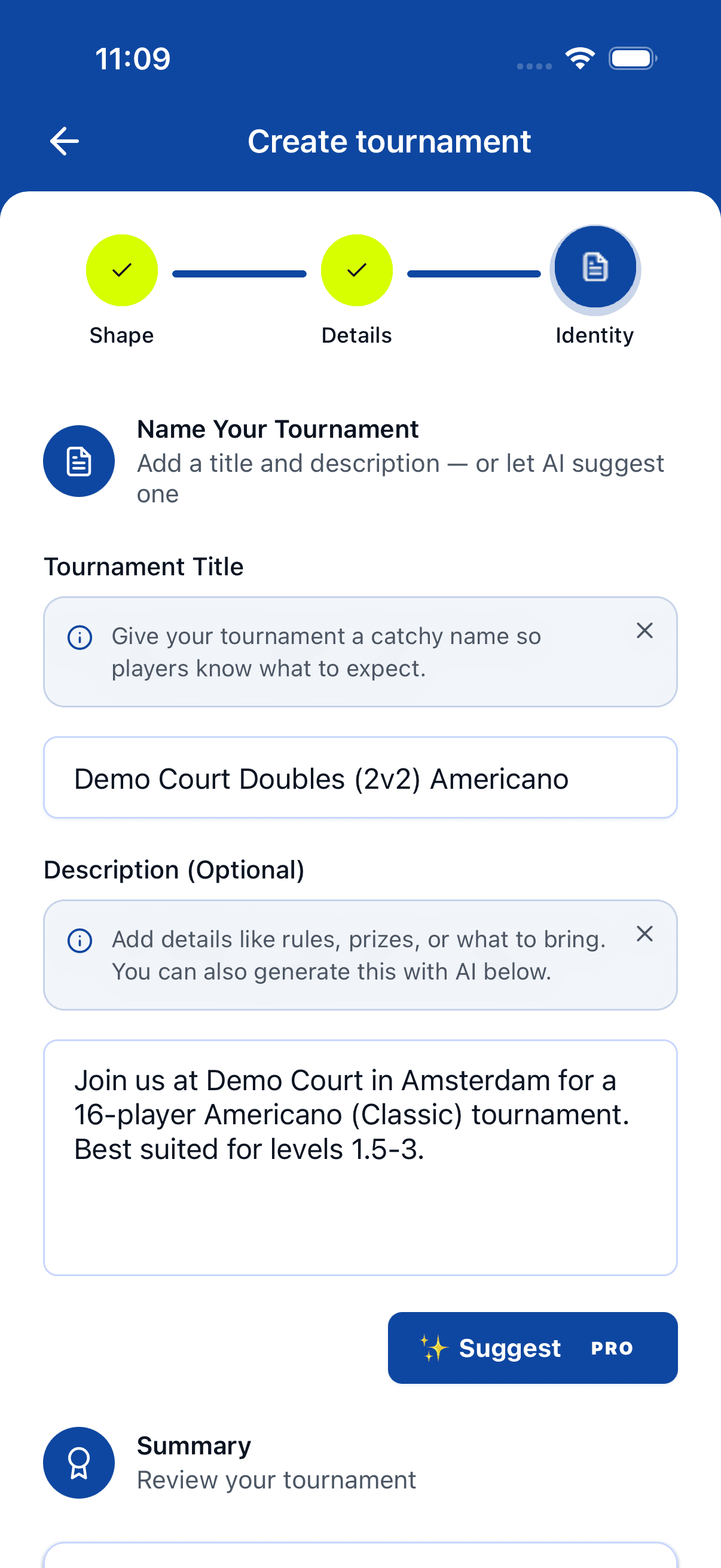
A title and description are pre-filled from the format, club, and level you picked — overwrite them or tap AI Generate (Pro) to regenerate. Leave Join as participant on if you're playing too, off if you're only running the event. Tap Create Tournament.
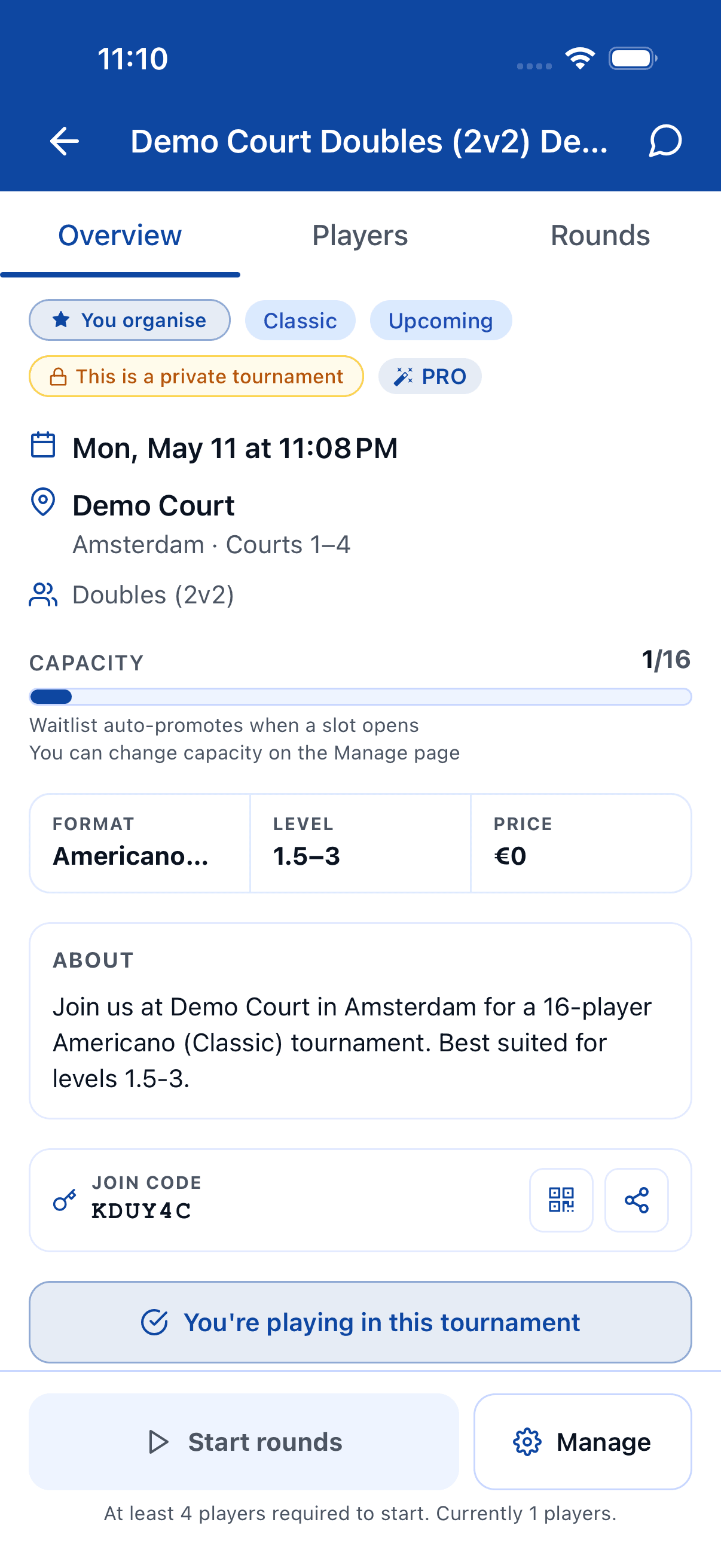
Step 7 — Land on the tournament page
You're taken to the tournament detail screen. From there you add players, share the join link, edit settings, and start the first round when everyone is in.
After you create
You land on the tournament detail page, not a live round. Padelio doesn't auto-start a round, so the structural choices you made (format, fixed pairs, capacity) are still editable until results come in. Use the tournament page to:
- Add players — search Padelio users, paste handles, or add guest names. See tournaments/add-players.
- Share the join link — anyone with the link can request to join (or join directly for public tournaments).
- Start the first round — once players are in, generate the first round; from then on, scoring and the round timer are live. See tournaments/rounds-and-timer.
Where to go next
- New to tournament formats? Read tournaments/formats.
- Already running and want to tweak settings? See tournaments/manage-settings.
- Curious about who sees what once results land? tournaments/score-and-results.
FAQ
- Can I edit a tournament after creating it?
- Yes. Title, description, date, club, courts, level range, entry fee, and visibility stay editable until results start coming in. After the first round closes, structural changes (format, capacity, fixed pairs) are locked so standings stay consistent.
- What's the minimum number of players?
- The capacity picker starts at 4. How high it goes depends on your plan — Free runs events up to 24 players, and the ladder tops out at 264 on Crew Pro. See [getting-started/upgrading-to-paid](/docs/getting-started/upgrading-to-paid). Americano, Mexicano, and Mix In work from 4 players up; King of the Court is best with 8 or more.
- Where do I add players?
- Players aren't added inside the create wizard. After you tap **Create Tournament**, you land on the tournament page where you can invite people, paste handles, or add guests. See [tournaments/add-players](/docs/tournaments/add-players).
- Do I need a paid plan to create a tournament?
- No. Personal tournaments are free, with a soft cap of 3 active tournaments per non-Pro account. Pro unlocks unlimited tournaments, AI-generated titles and descriptions, and Pro-only formats (Round Robin, Single/Double Elimination, Swiss, Group Stage Knockout, Tiered Americano).
- What's the difference between fixed and dynamic pairs?
- With **Fixed Pairs** on, each pair stays together every round. Off (the default for Americano-style formats) means Padelio rotates partners every round so everyone plays with everyone.
See something off? Suggest a fix — emails support@padelio.org with the article and a prefilled subject.