How do I create a Padelio league?
Last updated 2026-09-08
Open Create → League, give it a name, pick Doubles or Singles, and — for doubles — choose between Fixed teams (registered duos who play together all season) or Dynamic teams (week-by-week pairings). Then open the first season's draft to add teams or players.
Before you start
Three decisions matter most:
- Discipline — Doubles (2v2) or Singles (1v1). This one is set on the league and can't be changed afterwards, so decide before you create. Picking Singles skips the format choice below entirely. See leagues/singles.
- Format — Fixed teams or Dynamic teams, for doubles leagues only. The format is set per season, not on the league as a whole, so you can change it between seasons (e.g. start with dynamic teams to feel things out, switch to fixed teams once a stable group settles in). See leagues/fixed-teams-vs-dynamic-teams for a comparison.
- Season cadence — how often a season runs (weekly, monthly, one-off) and how long. Padelio doesn't enforce a schedule; you start and finish seasons manually as your group plays.
If you're running a mixed-level group, also consider whether the season should be split into tiered divisions (Pro feature). Divisions are per-season groups (e.g. Premier, Division 2, Division 3) with separate rosters, schedules, and standings, plus an automatic promote-top-N / relegate-bottom-N pass when the next season is created. You can toggle them on when setting up the season — see leagues/divisions for the full reference.
You don't need all the teams up front — leagues are designed to fill up as your community joins.
Step by step
Step 1 — Open Create → League
From the bottom navigation, tap the Create tab (the centre tab with the + icon), then League.
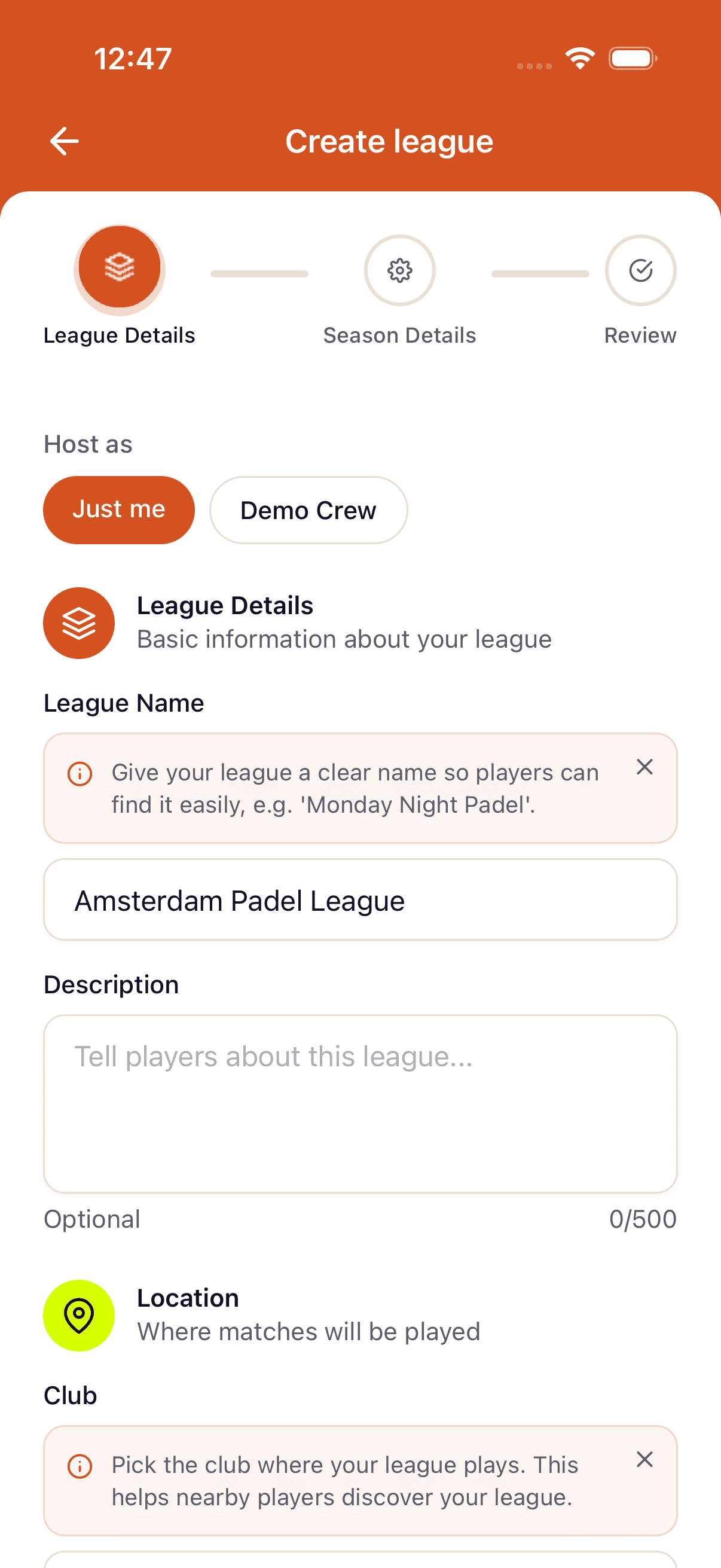
Step 2 — Pick doubles or singles, then the team format
Set Discipline to Doubles (2v2) or Singles (1v1) — this is locked once the league exists, and singles leagues skip the team format entirely (leagues/singles).
For a doubles league, tap Fixed teams if duos register together and stay paired for the whole season, or Dynamic teams if pairings change week to week.
Step 3 — Name and describe
Set a league name (required), an optional description, and a cover image. These describe the league as a whole, not the season.
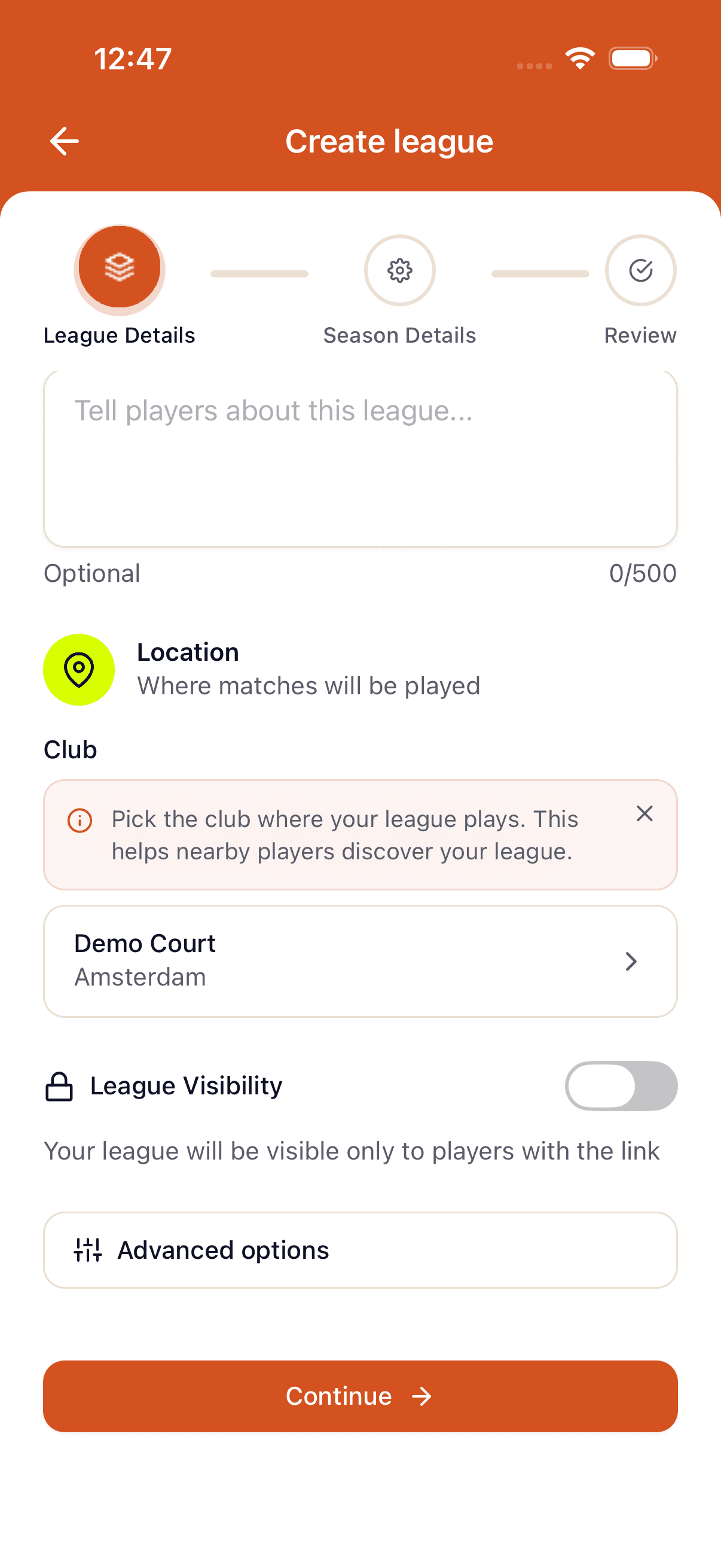
Step 4 — (Optional) Link to a crew or community
Crew/Crew Pro plans can attach the league to a crew. Community owners can attach it to a community so members see it in the events feed.
Step 5 — Set up the first season
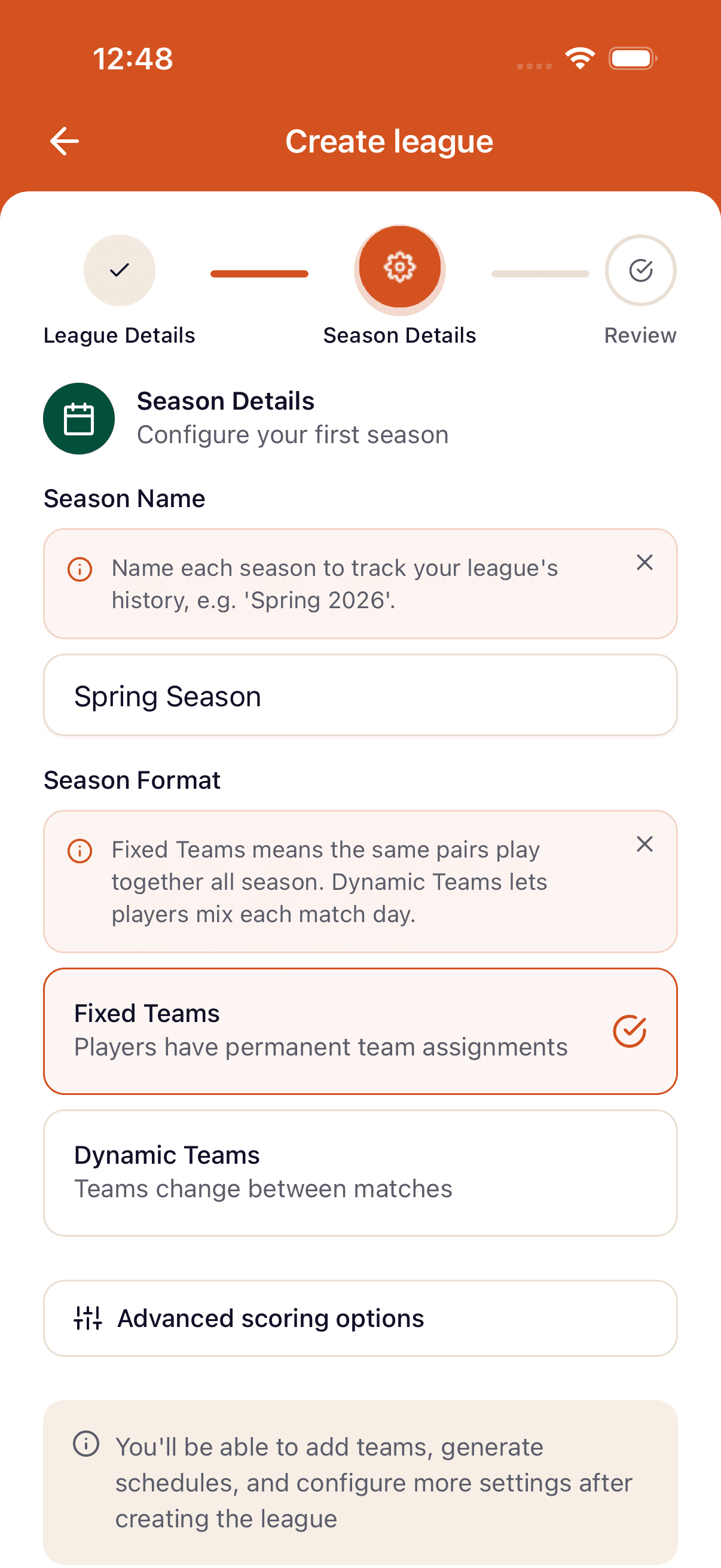
The create form chains into the season-1 form: pick the format (Fixed or Dynamic teams — not shown for singles leagues, which are always 1v1), set start and end dates, name the season. The new season starts in Draft — open it to add teams or players, then publish when you're ready. See leagues/seasons-and-status for the lifecycle.
Step 6 — (Optional) Enable divisions
If your players span multiple skill levels, toggle Enable divisions on the season form to split the roster into tiered groups. Pick the number of divisions (2–10, default 3), rename each tier (Premier, Division 2, Division 3…), and set Promote (top N) and Relegate (bottom N) — these control how players auto-shuffle between tiers when the next season starts. Divisions are a Pro feature — see leagues/divisions for the full breakdown.
After creation
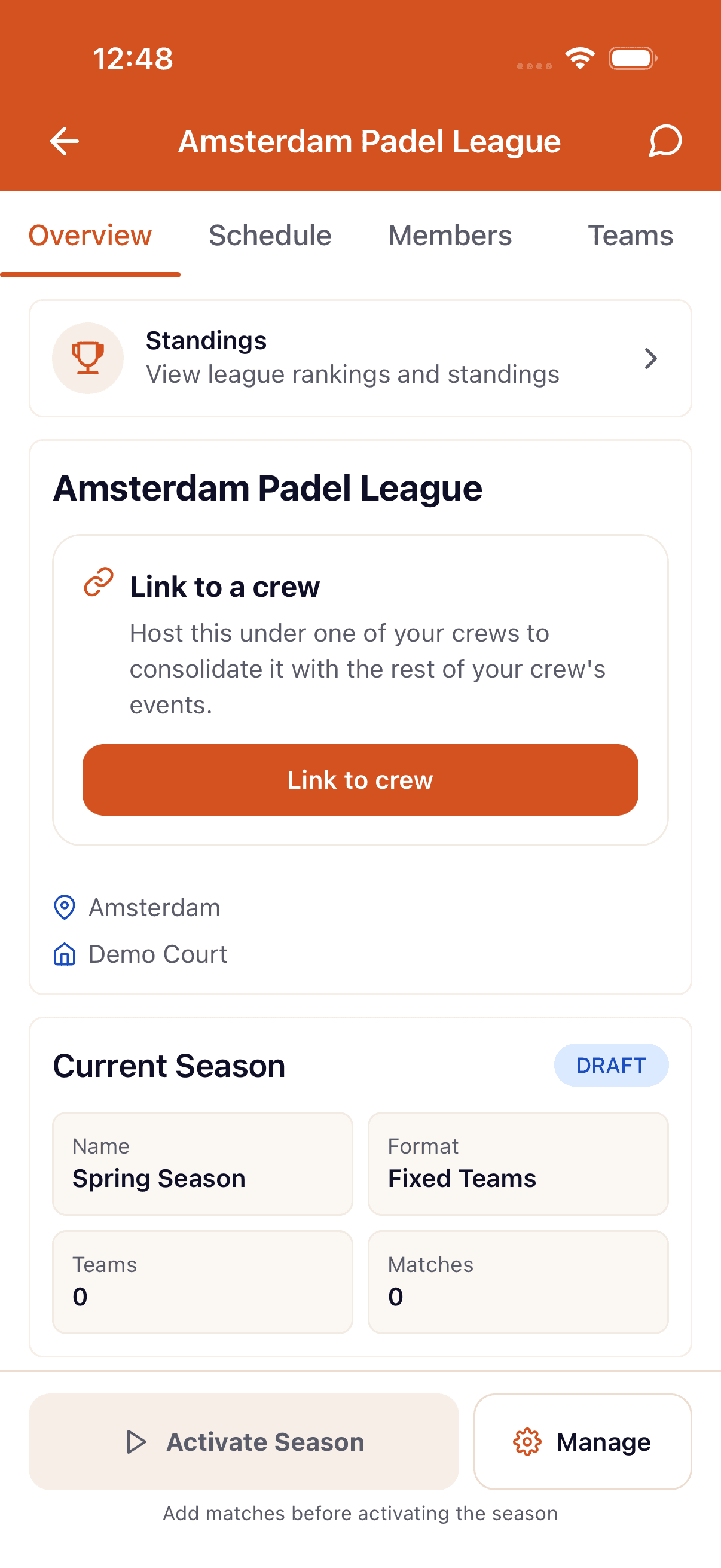
The league exists, the first season is in draft. Next steps:
- Add teams (fixed) or players (dynamic) — see leagues/add-teams.
- Publish the season when you're ready to start scheduling matches — see leagues/seasons-and-status.
- Adjust settings any time from the league's settings tab — see leagues/manage-settings.
FAQ
- What's the difference between a tournament and a league?
- A tournament is a single event — usually one day. A league runs over multiple weeks or months as a recurring competition with seasons, ongoing standings, and persistent teams or players.
- Can I run a league with mixed levels?
- Yes. You can either split the season into tiered **divisions** (Premier, Division 2, Division 3, …) with separate standings and automatic promotion/relegation between seasons, or just let everyone share one table. Divisions are a Pro feature — see [leagues/divisions](/docs/leagues/divisions).
- Do I need a paid plan to run a league?
- No — the free tier runs a league with up to 8 participants per season (4 teams in a fixed-teams season). Bigger seasons follow the plan ladder (32 on Pro, 64 on Crew, 264 on Crew Pro), and branded leagues, crew-linked leagues, and multiple divisions require a paid plan. See [getting-started/upgrading-to-paid](/docs/getting-started/upgrading-to-paid).
- Can I score the league by sets instead of by matches?
- Yes. Open **Advanced scoring** on the season step, switch **Match points** off and **Set points** on — a 2-1 then gives the winner 2 points and the loser 1, since a set won counts even in a lost match. Leaving both switches on stacks them (e.g. 3 for a win plus 1 per set). Pick this before you start the season — scoring is locked once the season is active. See [leagues/manage-settings](/docs/leagues/manage-settings).
- Can I run a singles (1v1) league?
- Yes. Set the discipline to **Singles** on the first step of the create form. It applies to the whole league and can't be changed later — see [leagues/singles](/docs/leagues/singles).
See something off? Suggest a fix — emails support@padelio.org with the article and a prefilled subject.